A plain answer for every drop
What happened, the likely explanation, how certain it is, and what to do next.
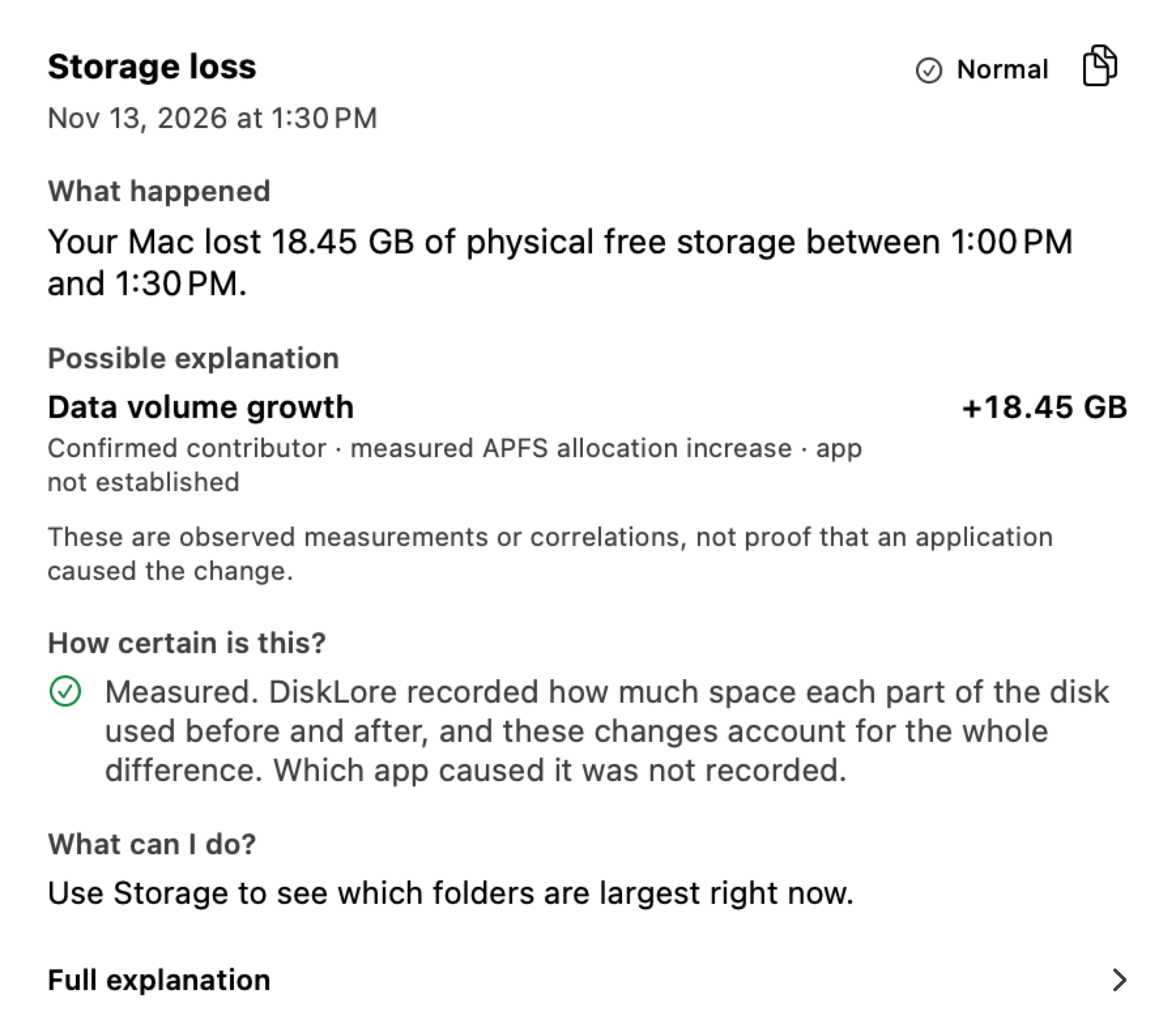
DiskLore maps everything on your disk and keeps a history of your free space. When gigabytes disappear, you can see when it happened and what grew.
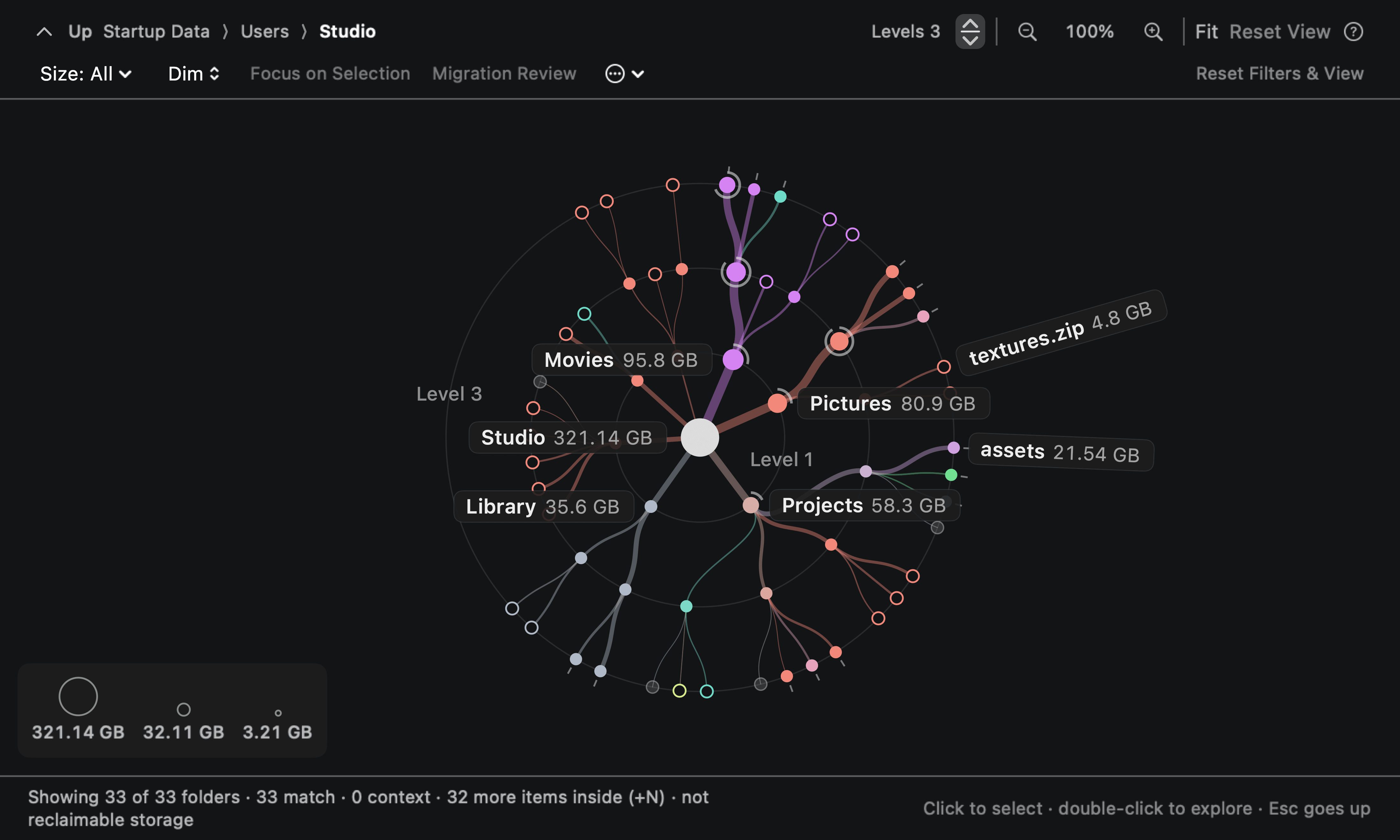
The real app, shown with demonstration data.
Storage settings give you one colored bar and a few categories. DiskLore measures every folder, remembers how your free space changed, and explains each drop.
| Topic | macOS Storage settings | With DiskLore |
|---|---|---|
| What you see | One bar, split into categories such as Apps, Documents and System Data | Every folder and file with its size, as a branching map, as boxes or as a ranked list |
| Finding the big stuff | Lists of large files inside some categories | Your largest files and folders ranked across the whole disk, and search by name |
| History | Today’s numbers | A free-space reading every half hour, with 30 days kept |
| When space drops | A warning once the disk is almost full | Alerts at 25 GB and 15 GB free and when gigabytes vanish quickly, with an explanation of each drop |
| Cleaning up | Suggestions such as Store in iCloud and Optimize Storage | Folders your projects can rebuild, with the reason for each, moved to the Trash when you say so |
| External drives | Browse in Finder while the drive is plugged in | Index a drive once, then keep browsing what’s on it after you unplug it |
Press Start Index and DiskLore measures every folder it can reach. Then look at your disk four ways, and open any folder to see what's inside.
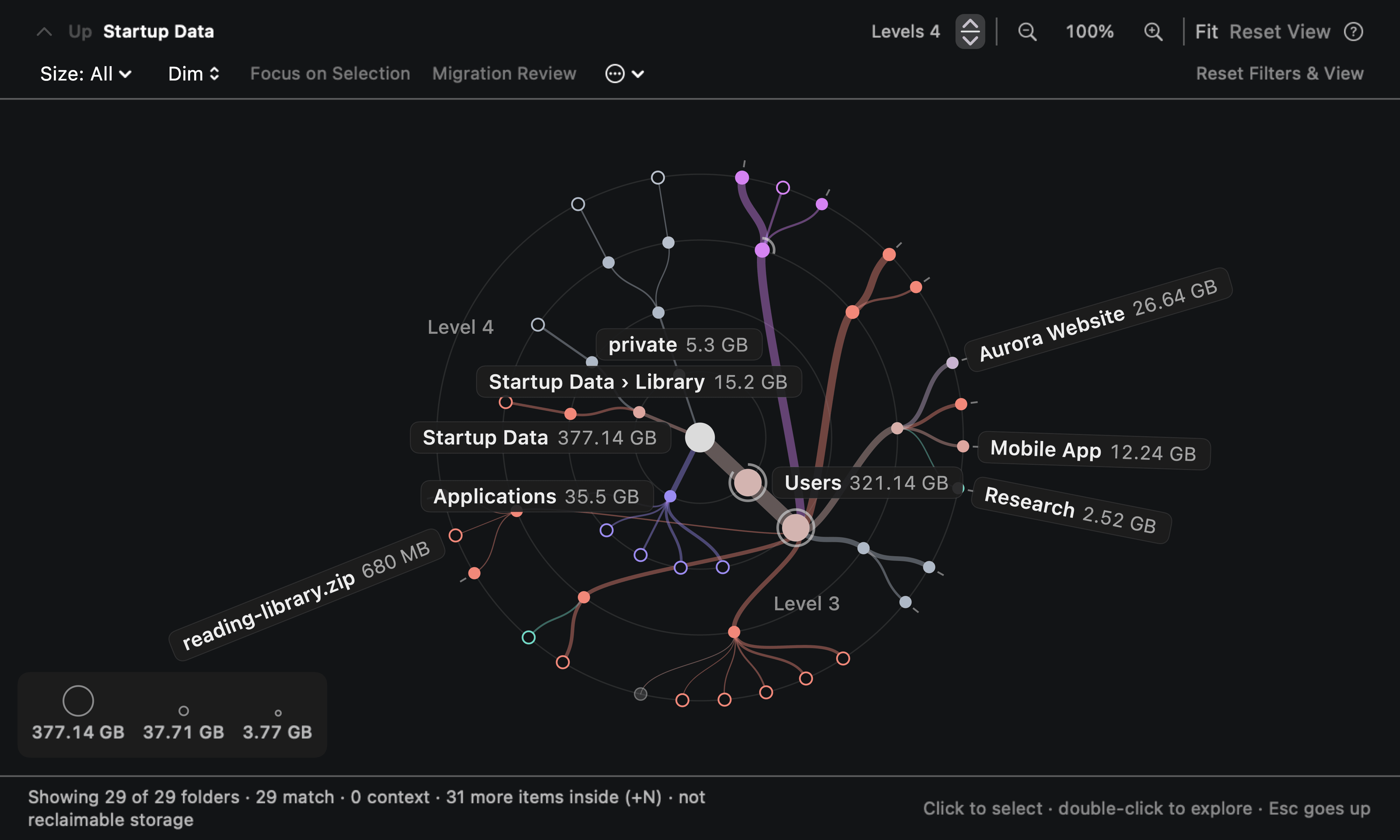
Living Tree. Every folder is a branch, sized by what’s inside it.
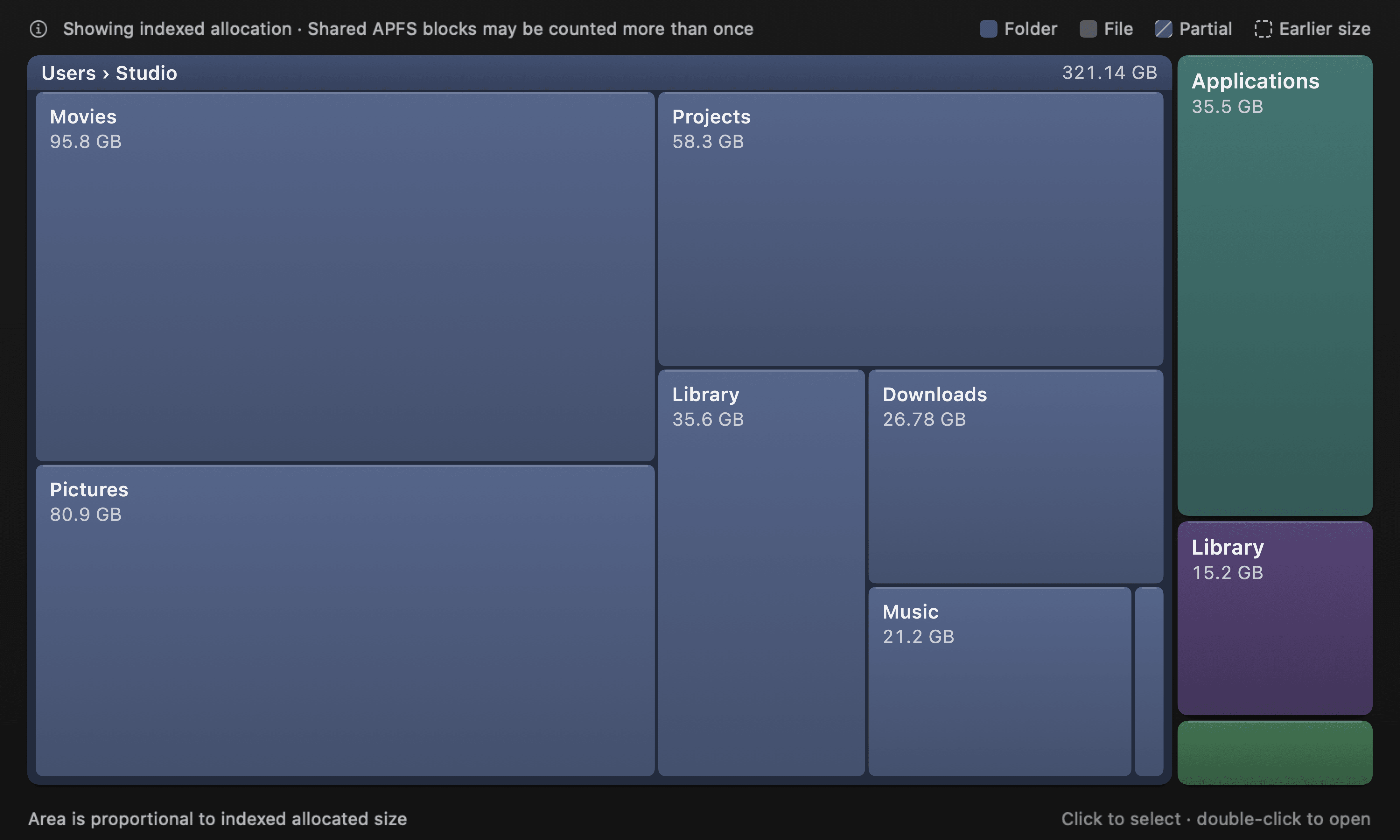
Atlas. Bigger box, bigger folder. Spot the heavy ones at a glance.
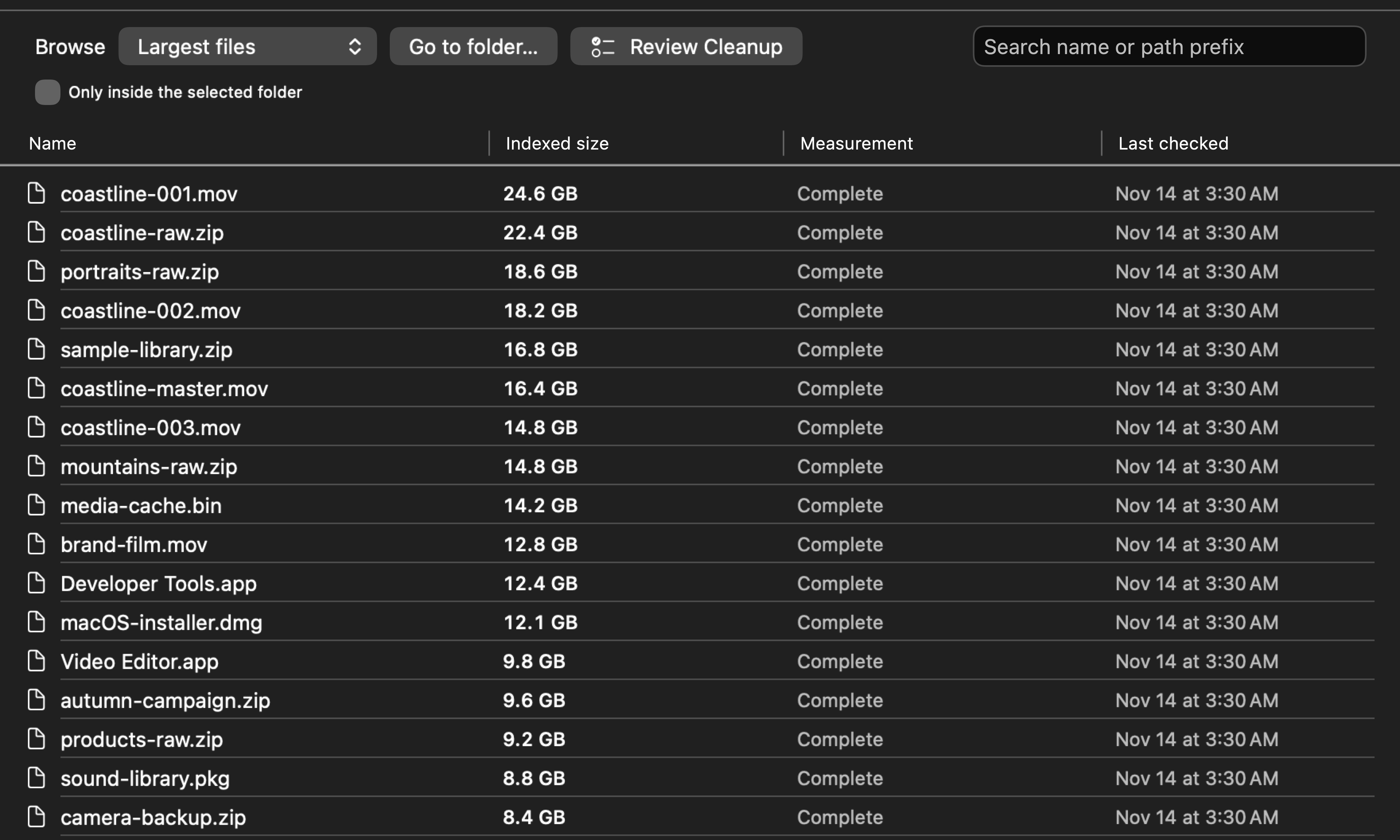
Largest files. Your biggest files, ranked across the whole disk.
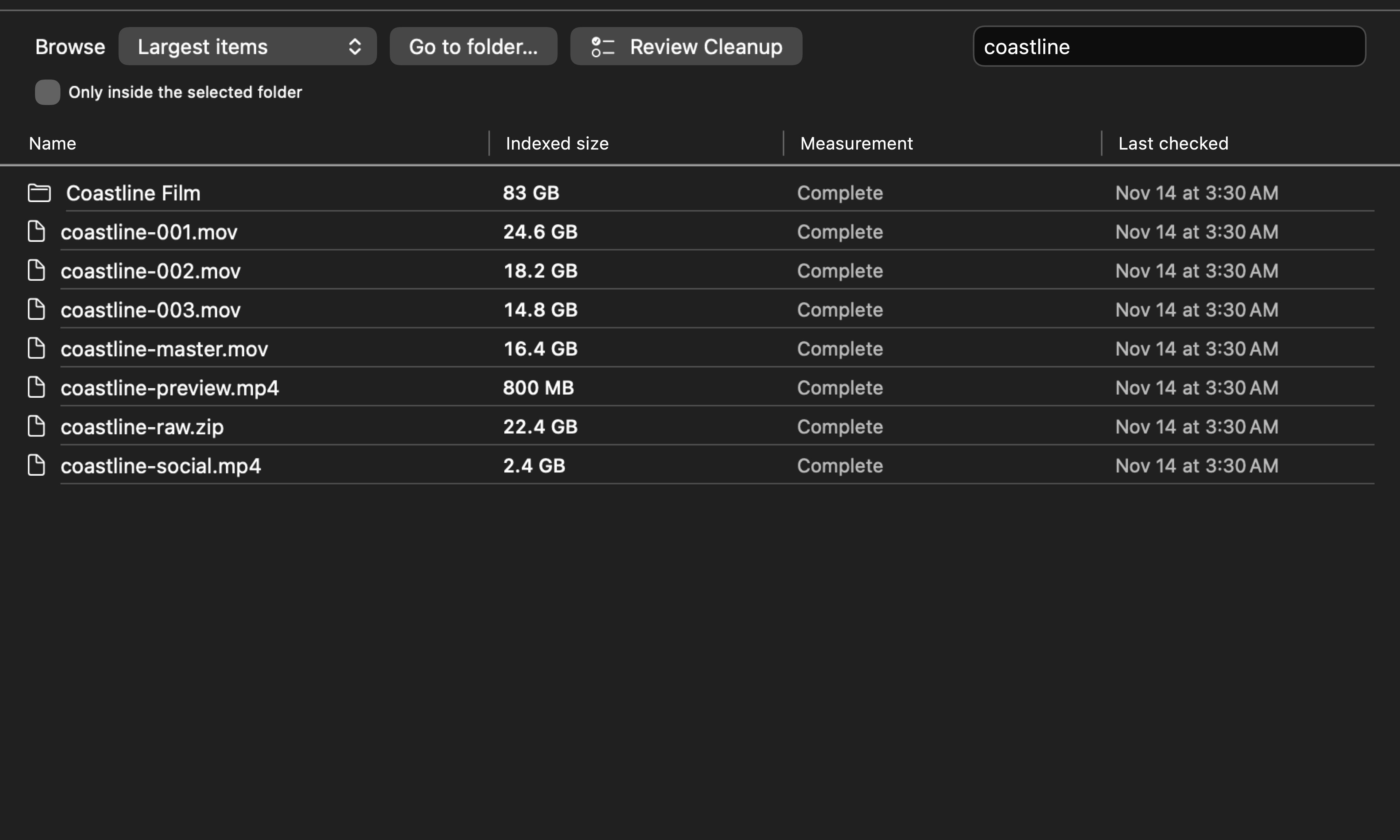
Search. Type part of a name and see every match with its size.
Most disk tools show you today. DiskLore takes a free-space reading every half hour and keeps 30 days of them, so a sudden drop has a time and a size.
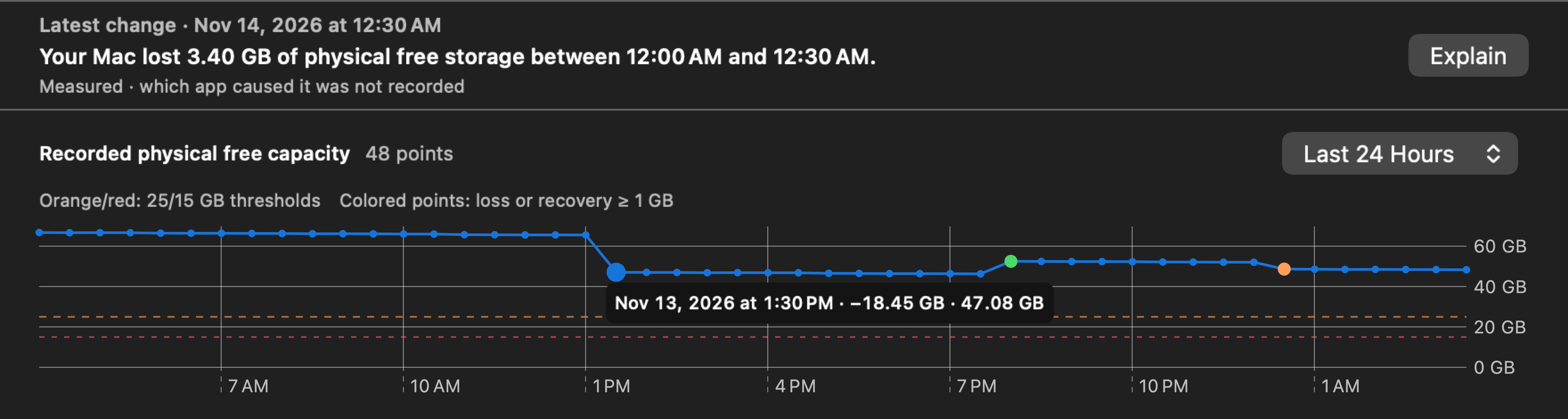
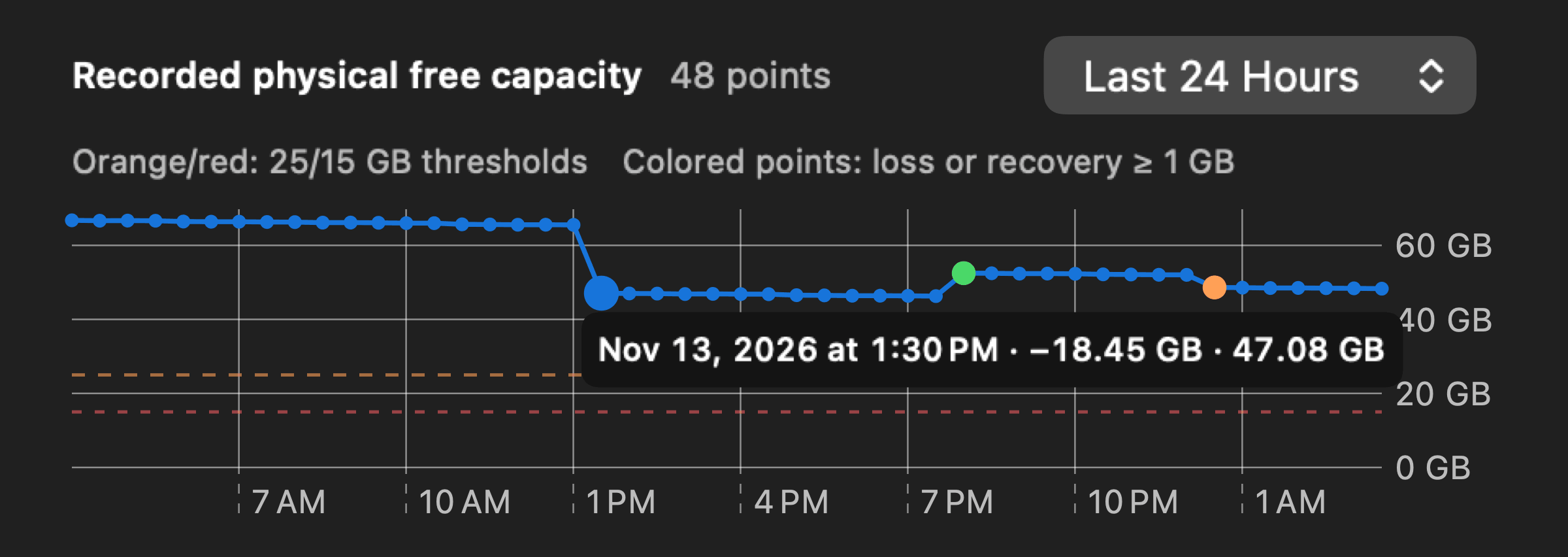
DiskLore runs quietly in the background and sends a notification when:
Click any drop and DiskLore tells you what happened, what grew and how sure it is. Every figure is a measurement taken before and after.
What happened, the likely explanation, how certain it is, and what to do next.
On the developer's Mac, between 3:30 and 4:00 AM.
−2.18 GB of free space
| Your files and apps | +1.10 GB |
|---|---|
| Memory moved to disk by macOS | +1.07 GB |
| System update files | +0.001 GB |
| Explained | 2.18 GB |
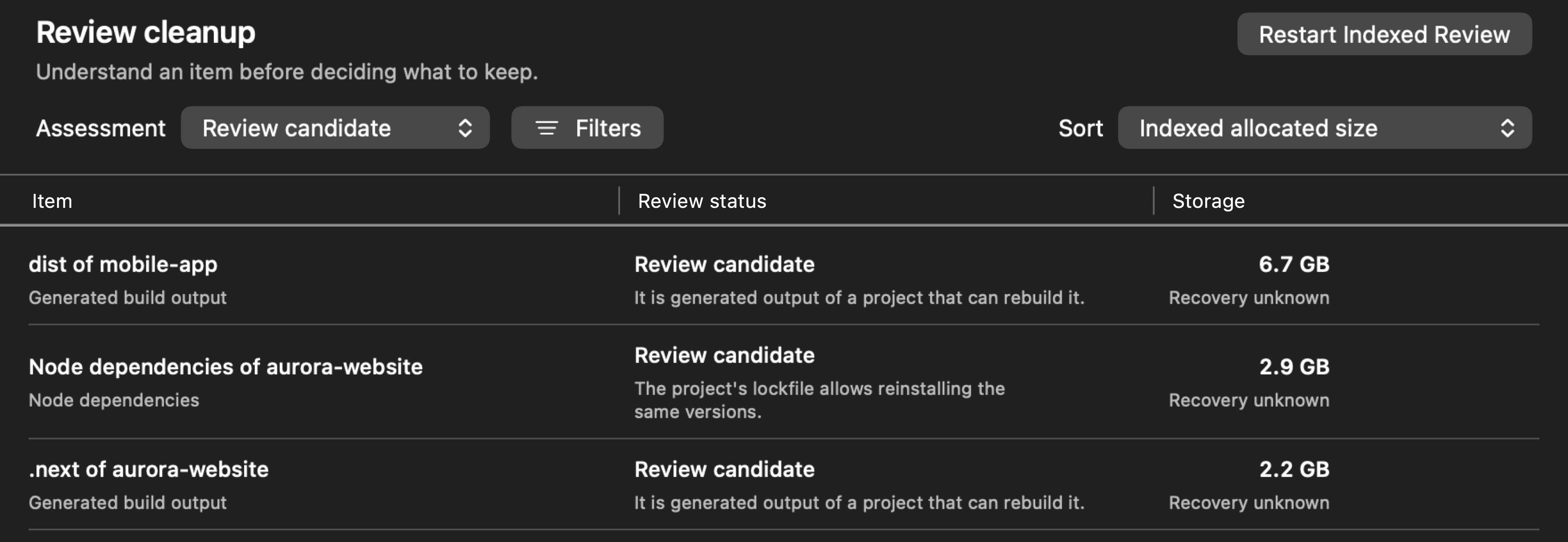
DiskLore lines up what's worth a second look and tells you why. You choose what goes, and nothing about your disk ever leaves it.
Build leftovers, downloaded packages and other folders your projects can recreate, biggest first, each with a plain reason and its size.
DiskLore has no way to send your data anywhere. Your history is one file on your disk that you can copy, back up or delete.
Understand where your Mac's storage goes, explore your disk visually, and track changes over time.
DiskLore pricing
$5.99 one-time
14-day free trial. No credit card required.
Included with purchase
The price includes any tax.
Because DiskLore isn't notarized by Apple, macOS stops it the first time you open it and says:
Apple could not verify “DiskLore” is free of malware that may harm your Mac or compromise your privacy.
On macOS 14 it reads: “DiskLore” can’t be opened because Apple cannot check it for malicious software.
After that it opens like any other app. You only do this once.